Introduction
Cobble Flink is unified storage for Apache Flink: write processing results, read stored data, and manage streaming state through the same Cobble core.
Watch the Introduction
Use Cases
Balance storage cost and state performance
Separate storage from compute, starting with Flink 1.17. Choose hybrid storage or local caching to balance capacity, cost, and performance.
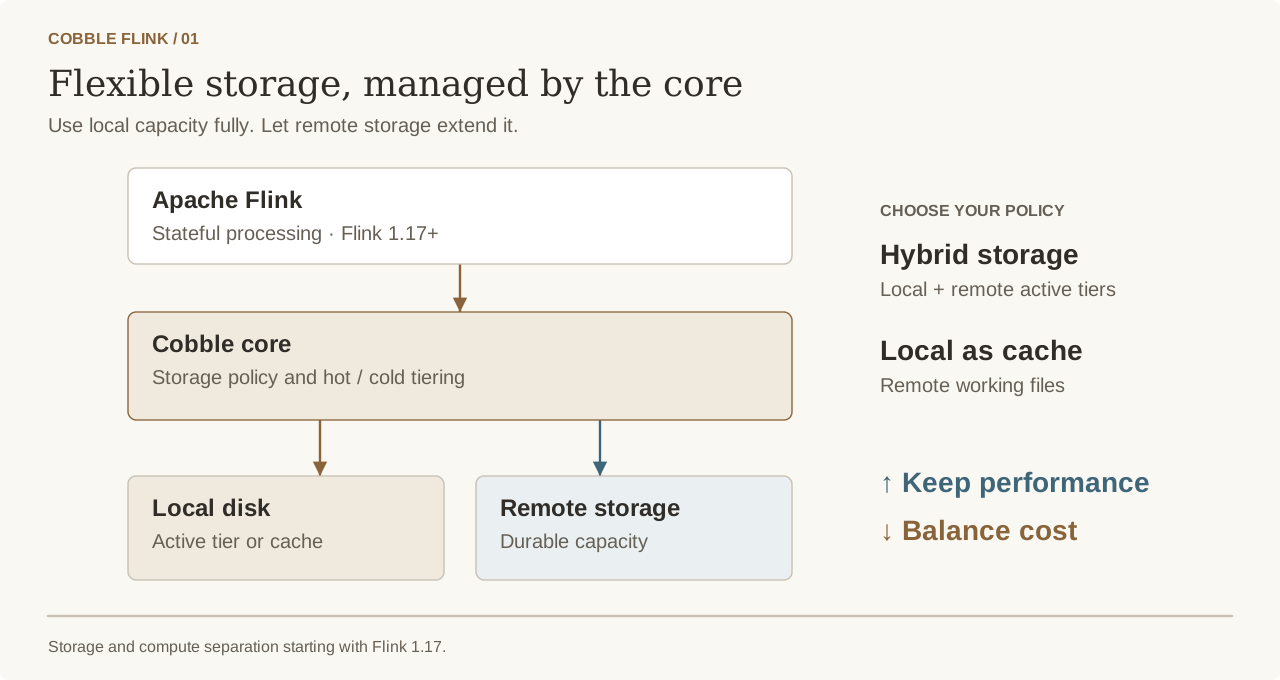
Explore the state backend · See benchmarks
Share compaction capacity across jobs
Offload compaction from processing jobs and share CPU capacity across their peaks.
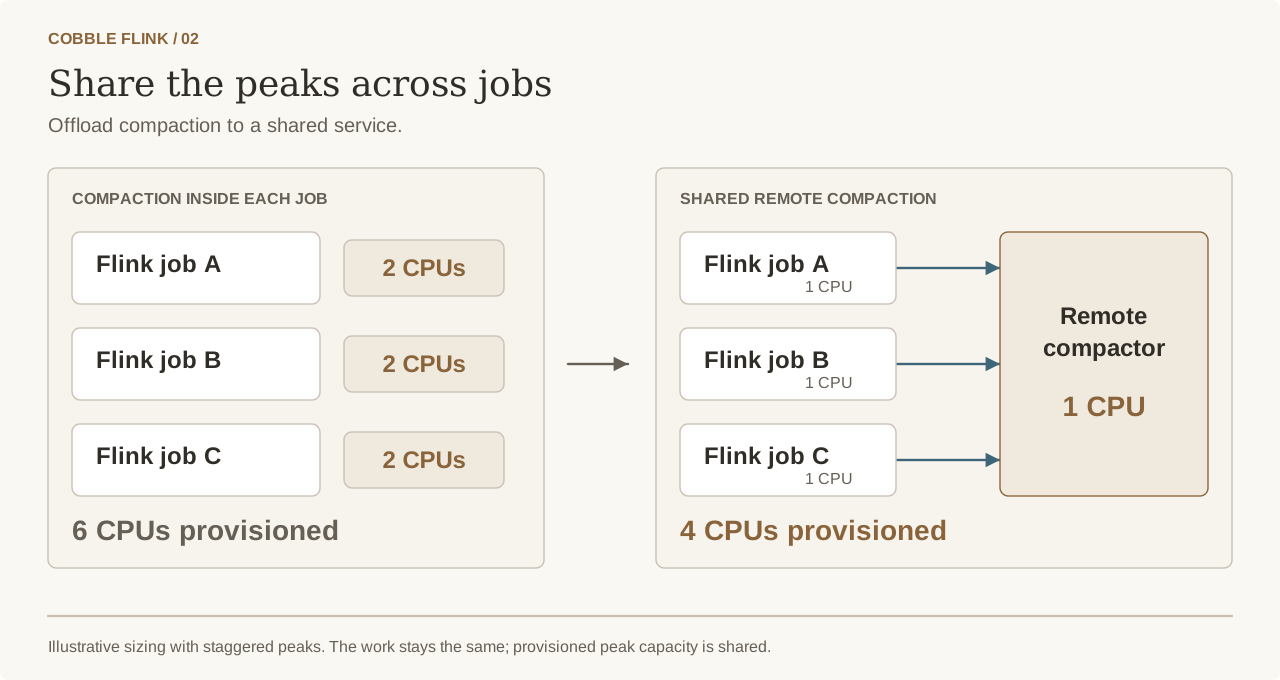
Write once, reuse across jobs
Let another job scan stored results or look up a key for enrichment. Supported keyed state is reusable too.
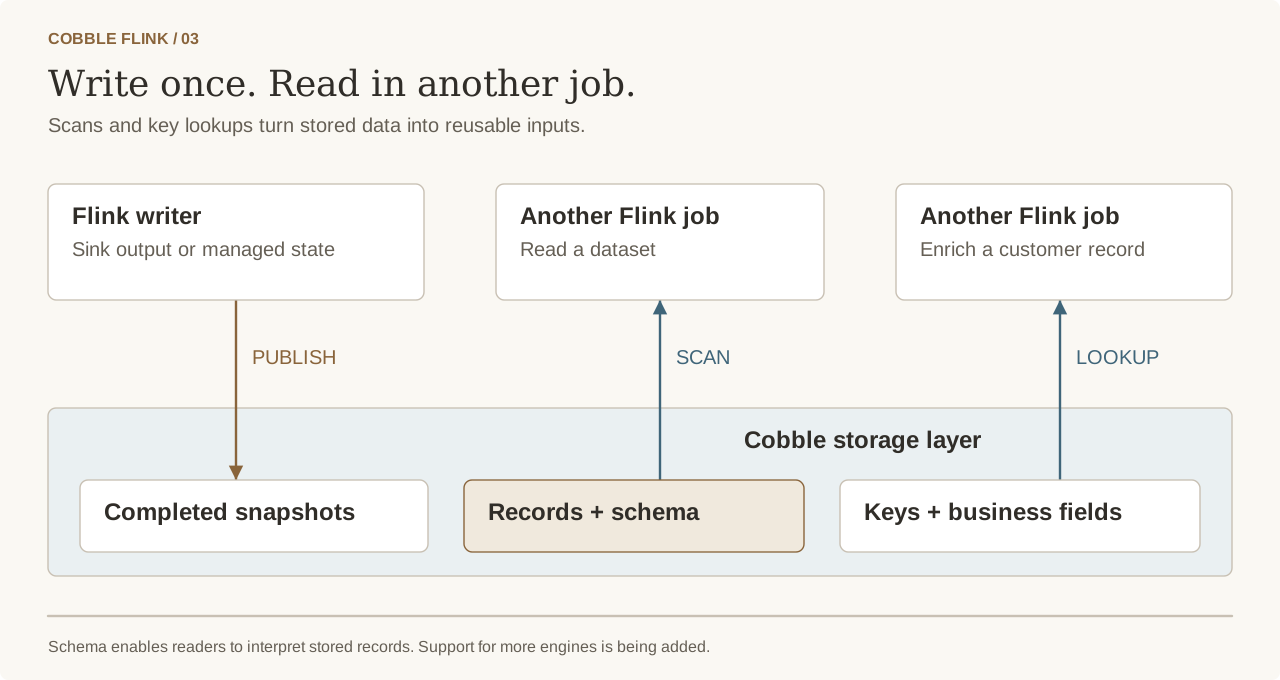
Write with the sink · Scan and look up data
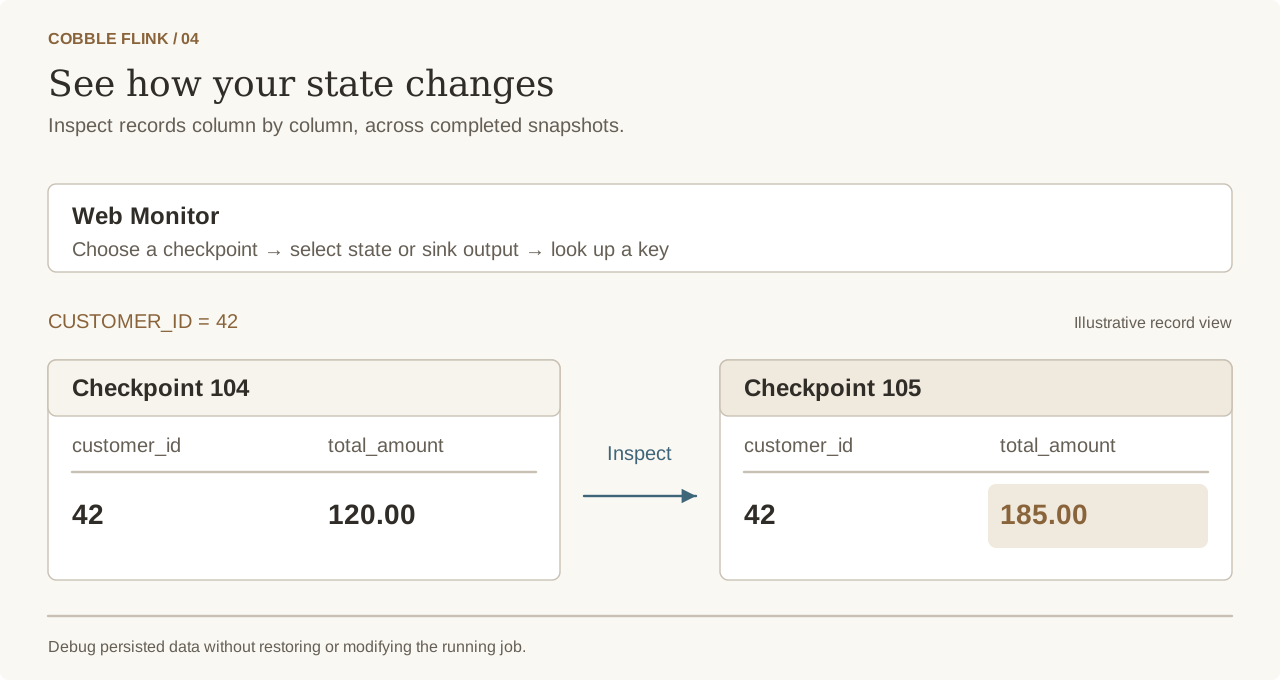
See what changed in your state
Look up state and sink records, inspect business fields, and track changes across snapshots to debug your job.
Documentation Structure
| Chapter | Description |
|---|---|
| Getting Started | Install Cobble Flink and choose a version |
| State Backend | Store Flink managed state in Cobble |
| Catalog | Create and use native Cobble SQL tables |
| Source | Read Cobble data from Flink SQL |
| Sink | Write Flink SQL results to Cobble |
| Web Monitor | Inspect checkpoints and tables |
| Metrics | Monitor state backend and connector activity |